무엇을 만들었나What I Built
| 항목 | 내용 |
|---|---|
| 엔진 | Unity 2018.3.12f1 |
| 플랫폼 | Android |
| 기여도 | 100% (1인 개발) |
| 네트워크 | UNET (NetworkBehaviour · [Command] · [ClientRpc] · [SyncVar]) |
| 상태 | 완성 |
| Item | Details |
|---|---|
| Engine | Unity 2018.3.12f1 |
| Platform | Android |
| Role | 100% (Solo development) |
| Networking | UNET (NetworkBehaviour · [Command] · [ClientRpc] · [SyncVar]) |
| Status | Completed |
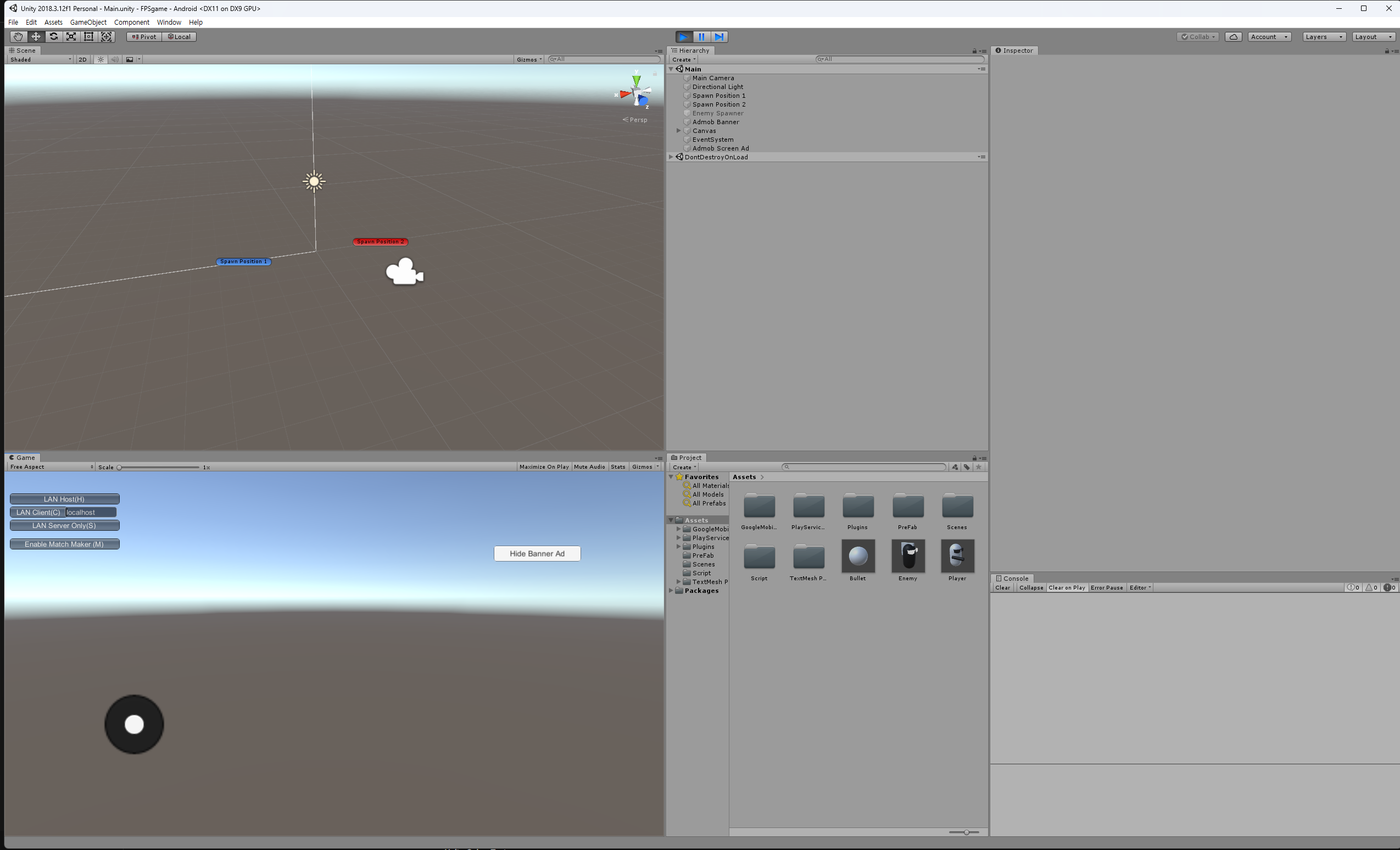
모바일 환경을 고려한 조작 체계와, 네트워크 상에서 서로 상호작용(공격·피격·리스폰)할 수 있는 멀티플레이 기초 환경을 구성하는 것을 목표로 잡았다. 구현한 요소는 네 덩어리다. UNET 동기화, 가상 조이스틱, 서버 사이드 전투·스폰, 그리고 애드몹 연동.
The goal was to set up mobile-friendly controls alongside a foundational multiplayer environment where players could shoot, take damage, and respawn across the network. The implementation came down to four parts: UNET state sync, a virtual touch joystick, server-side combat and spawning, and AdMob integration.
리소스 대신 로직에 시간을 쓰기Spending Time on Netcode Instead of Art Assets
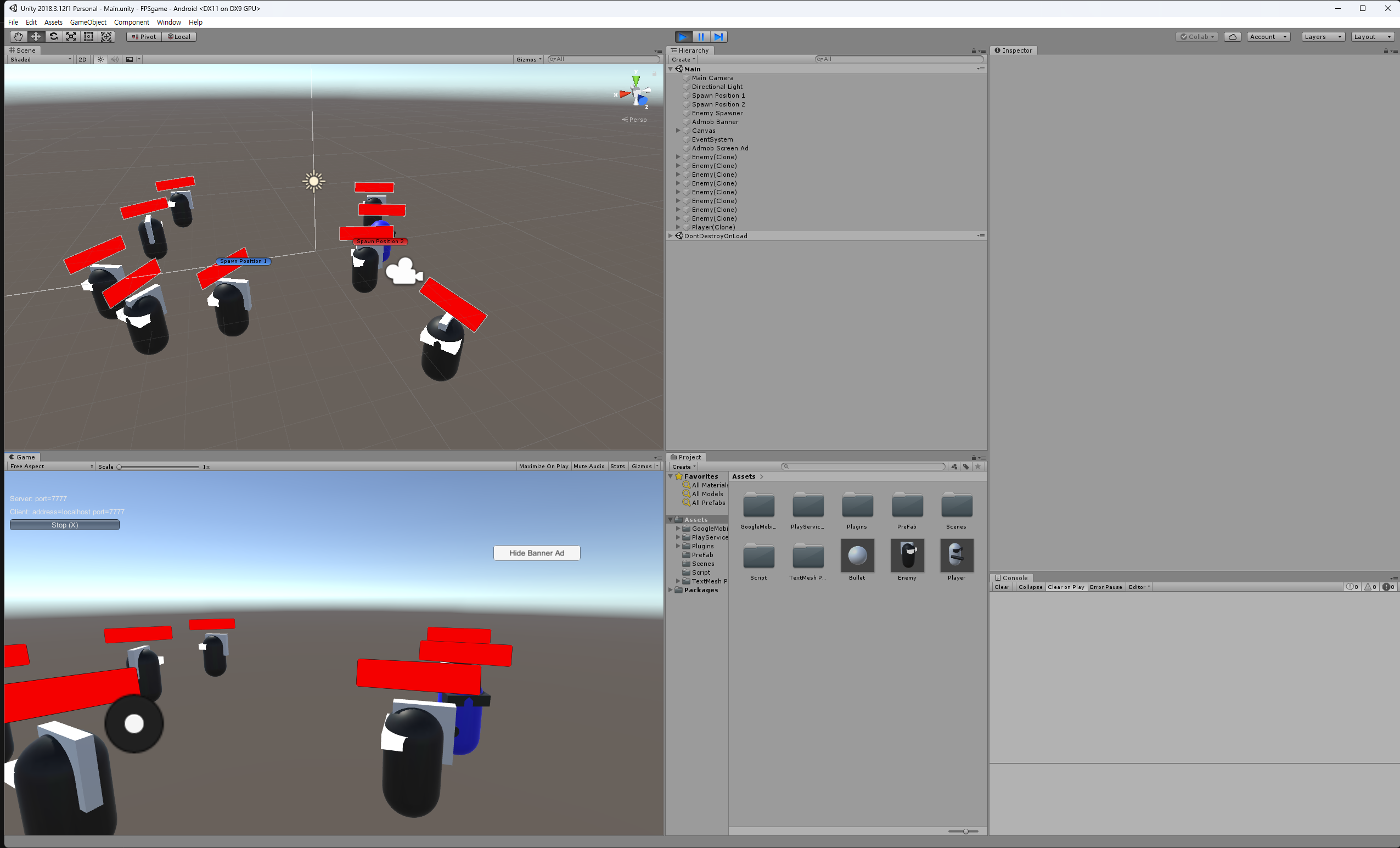
캐릭터와 적, 총알은 유니티 내장 3D 기본 도형(Cube, Capsule 등)만으로 구성했다. 네트워크 동기화 로직 구현에 집중하기 위한 선택이었다.
Characters, enemies, and bullets were built entirely out of Unity's built-in 3D primitives (cubes and capsules) so I could spend my time on network synchronization logic.
발사: 요청은 클라이언트, 생성은 서버Firing: Clients Request, the Server Spawns
isLocalPlayer 로 자기 캐릭터의 입력만 받는다. 이 검사가 없으면 한 클라이언트의 키 입력이 화면에 있는 모든 캐릭터를 움직인다.
Checking isLocalPlayer ensures a client only processes input for its own character. Without that check, pressing a key on one client would move every player character in the scene.
void Update()
{
    if (!isLocalPlayer) return;

    var x = Input.GetAxis("Horizontal") * Time.deltaTime * 150.0f;
    var z = Input.GetAxis("Vertical") * Time.deltaTime * 3.0f;
    transform.Rotate(0, x, 0);
    transform.Translate(0, 0, z);

    if (Input.GetKeyDown(KeyCode.Space))
    {
        CmdFire();
    }
}

[Command]
void CmdFire()
{
    GameObject bullet = Instantiate(bulletPreFab, bulletSpawn.position, bulletSpawn.rotation);
    bullet.GetComponent<Rigidbody>().velocity = bullet.transform.forward * 6;
    NetworkServer.Spawn(bullet); // 서버에서 클라이언트들로 스폰 브로드캐스트
    Destroy(bullet, 2.0f);
}
void Update()
{
if (!isLocalPlayer) return;
var x = Input.GetAxis("Horizontal") * Time.deltaTime * 150.0f;
var z = Input.GetAxis("Vertical") * Time.deltaTime * 3.0f;
transform.Rotate(0, x, 0);
transform.Translate(0, 0, z);
if (Input.GetKeyDown(KeyCode.Space))
{
CmdFire();
}
}
[Command]
void CmdFire()
{
GameObject bullet = Instantiate(bulletPreFab, bulletSpawn.position, bulletSpawn.rotation);
bullet.GetComponent<Rigidbody>().velocity = bullet.transform.forward * 6;
NetworkServer.Spawn(bullet); // Broadcast the spawned bullet from server to all clients
Destroy(bullet, 2.0f);
}발사는 두 단계로 나뉜다. 클라이언트는 CmdFire() 로 요청만 보내고, 총알을 실제로 만들고 날리는 것은 서버다. NetworkServer.Spawn() 이 서버가 만든 총알을 모든 클라이언트에 브로드캐스트하고, Destroy(bullet, 2.0f) 가 2초 뒤 정리한다.
Firing is split into two steps. The client sends only a request by calling CmdFire(), while the server actually instantiates and launches the projectile. NetworkServer.Spawn() broadcasts the server-spawned bullet to all connected clients, and Destroy(bullet, 2.0f) cleans it up two seconds later.
[Command] 가 붙은 함수는 이름이 Cmd 로, [ClientRpc] 는 Rpc 로 시작해야 한다. 지키지 않으면 컴파일 단계에서 걸린다. 통신 방향을 이름으로 강제하는 셈이다.[Command] must start with the prefix Cmd, and [ClientRpc] methods must start with Rpc. If you break that naming rule, UNET's Weaver rejects it at compile time—enforcing network directionality through method names.체력: SyncVar 의 hook 으로 UI까지 따라오게Health: Updating UI via a SyncVar Hook
[SyncVar(hook = "OnChangeHealth")]
public int currentHealth = maxHealth;

public void TakeDamage(int amount)
{
    if (!isServer) return;

    currentHealth -= amount;
    if(currentHealth <= 0)
    {
        if (destroyOnDeath) {
            Destroy(gameObject);
        } else {
            currentHealth = maxHealth;
            RpcRespawn();
        }
    }
}

void OnChangeHealth(int health)
{
    healthSlider.value = health;
}

[ClientRpc]
void RpcRespawn()
{
    if (isLocalPlayer)
    {
        Vector3 spawnPoint = spawnPoints[Random.Range(0, spawnPoints.Length)].transform.position;
        transform.position = spawnPoint;
    }
}
TakeDamage 는 !isServer 면 즉시 반환한다. 즉 피격 판정은 서버에서만 일어난다. 사망하면 destroyOnDeath 여부에 따라 오브젝트를 파괴하거나, 체력을 되돌리고 RpcRespawn() 으로 클라이언트에 리스폰을 알린다.
TakeDamage returns immediately if !isServer, meaning damage calculation only happens on the server. When health drops to 0 or below, the server either destroys the object (for enemies) or resets health and calls RpcRespawn() to tell the client to move back to a spawn point.
체력은 순간적인 사건이 아니라 계속 유지되는 값이라 [SyncVar] 로 뒀다. hook 으로 지정한 OnChangeHealth 가 값이 바뀐 클라이언트에서 호출되면서 슬라이더까지 함께 따라온다.
Because health is a persistent state rather than a one-off event, it is marked with [SyncVar]. Whenever the server modifies currentHealth, the OnChangeHealth hook runs on each client and updates the health bar slider.
| 어트리뷰트 | 방향 | 쓰는 곳 |
|---|---|---|
[Command] | 클라이언트 → 서버 | 발사 요청 등 '하고 싶다' |
[ClientRpc] | 서버 → 모든 클라이언트 | 리스폰 통보 등 '이렇게 됐다' |
[SyncVar] | 서버 → 모든 클라이언트 (값) | 체력처럼 유지되는 상태 |
| Attribute | Direction | Use Case |
|---|---|---|
[Command] | Client → Server | Player intent, e.g., requesting to fire |
[ClientRpc] | Server → All Clients | One-off server events, e.g., forcing a respawn |
[SyncVar] | Server → All Clients (state) | Continuous state values like current health |
모바일 조작: 가상 조이스틱Mobile Controls: Virtual Joystick
public void OnDrag(PointerEventData eventData)
{
    Vector2 value = eventData.position - (Vector2)rect_Background.position;
    value = Vector2.ClampMagnitude(value, radius);
    rect_Joystick.localPosition = value;

    float distance = Vector2.Distance(rect_Background.position, rect_Joystick.position) / radius;
    value = value.normalized;
    movePosition = new Vector3(value.x * moveSpeed * distance * Time.deltaTime, 0f, value.y * moveSpeed * distance * Time.deltaTime);
}
PointerEventData 로 배경 중심에서의 드래그 벡터를 구하고, ClampMagnitude 로 반경 안에 가둔다. 중심에서 떨어진 거리를 반경으로 나누면 0~1 사이 값이 나오는데, 이걸 정규화한 방향 벡터에 곱해 이동량을 만든다. 스틱을 살짝 밀면 천천히, 끝까지 밀면 최고 속도로 움직이는 이유가 이 distance 항이다.
Using PointerEventData, the script computes the drag offset from the joystick background's center and clamps it within radius via ClampMagnitude. Dividing the stick's distance from the center by radius yields a 0–1 ratio, which scales the normalized direction vector. That distance factor is why nudging the stick walks slowly while pushing it to the edge moves at full speed.
애드몹 붙이기Integrating Google AdMob
private void InitAd()
{
    string id = Debug.isDebugBuild ? test_unitID : unitID;
    screenAd = new InterstitialAd(id);
    AdRequest request = new AdRequest.Builder().Build();

    screenAd.LoadAd(request);
}

private IEnumerator ShowScreenAd()
{
    while (!screenAd.IsLoaded())
    {
        yield return null;
    }
    screenAd.Show();
}
Debug.isDebugBuild 로 테스트 광고 단위와 실제 단위를 가른다. 광고는 로드가 끝나야 띄울 수 있어서, IsLoaded() 가 참이 될 때까지 코루틴으로 기다린 뒤 Show() 한다. 전면 광고와 하단 배너 광고의 노출 제어를 이런 스크립트로 나눠 뒀다.
Debug.isDebugBuild switches between Google's test ad unit ID and the production ID. Because interstitial ads cannot be shown until they finish loading, a coroutine waits until IsLoaded() returns true before calling Show().
정리Wrap-Up
- 이제는 레거시가 된 UNET 아키텍처지만, 서버와 클라이언트의 권한 분리, RPC, SyncVar 개념을 다루며 멀티플레이어 게임의 기본 네트워크 로직을 익혔다.
- 가상 조이스틱과 애드몹 연동을 붙여 보며 모바일 빌드에 들어가는 기본 요소를 실습했다.
- 기본 도형만 쓴 덕분에 그래픽에 시간을 뺏기지 않고 네트워크 쪽만 반복해서 고칠 수 있었다.
- Even though UNET is now deprecated, working through server-client authority separation, RPCs, and SyncVars taught me the core patterns of multiplayer netcode.
- Implementing a virtual joystick and AdMob integration gave me hands-on practice with common building blocks for mobile releases.
- Using primitive shapes kept me from getting bogged down in art assets so I could iterate rapidly on the networking code.
[Command] / [ClientRpc] / [SyncVar] 에 해당하는 개념은 Mirror 나 Netcode for GameObjects 에 이름만 바뀐 채 그대로 남아 있다.[Command], [ClientRpc], and [SyncVar] live on under slightly different names in Mirror and Netcode for GameObjects.클라이언트가 직접 총알을 만들고 체력을 깎는 대신, 서버에 요청을 보내고 서버가 바꾼 결과를 받아 그리는 흐름을 이 프로토타입에서 처음 손으로 짜 봤다. 프레임워크가 바뀌어도 이 구조 자체는 크게 달라지지 않는다.
Instead of letting a client spawn its own bullets and subtract health locally, this prototype was the first time I wired up the full loop of sending a request to the server and rendering the server-authoritative result. Even when the networking library changes, that underlying flow stays the same.