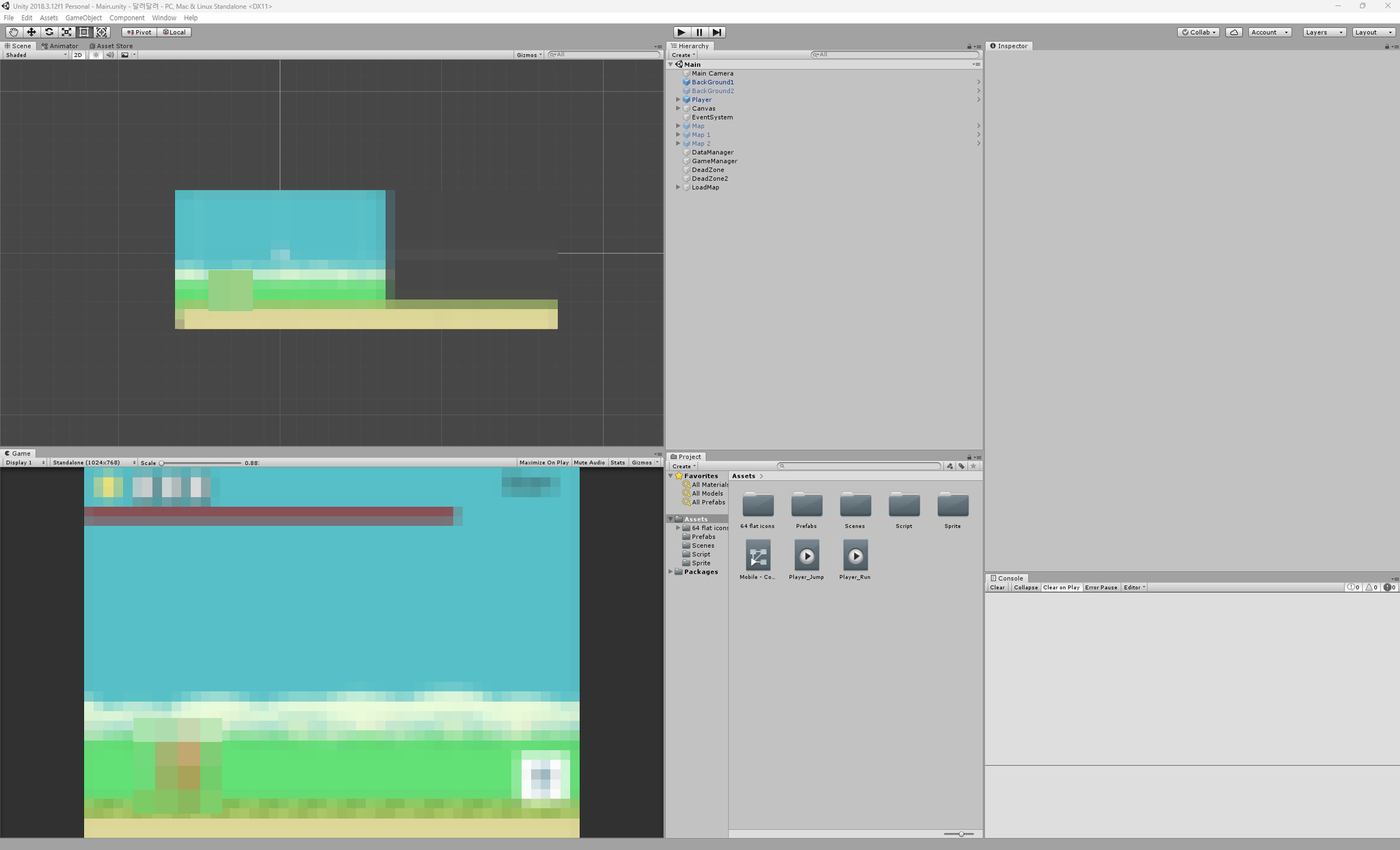
무엇을 만들었나What I Built
인기 러닝 게임의 핵심 구동 방식을 파악하고, 무한 스크롤 환경에서의 오브젝트 관리와 물리 상호작용 로직을 학습하기 위해 만들었다. 장르가 단순해 보여도 '무한히 이어지는 것처럼 보이는 화면'을 실제로 어떻게 만드는지는 직접 짜 보기 전에는 감이 오지 않는 부분이었다.
I built this to understand how side-scrolling runners work under the hood and to practice object management and 2D physics interactions in an endless-scrolling setup. Even though the genre looks simple on the surface, how you actually create "a screen that scrolls forever" was something I needed to code myself to get a feel for.
| 항목 | 내용 |
|---|---|
| 엔진 | Unity 2018.3.12f1 |
| 기여도 | 100% (1인 개발) |
| 구조 | GameManager 스테이지 순환 · DataManager 싱글톤 전역 상태 |
| 물리 | Rigidbody2D 기반 점프 / 2단 점프, 태그(Ground · Block) 분기 |
| 아이템 | 코인 · 시간 연장 · 자석 |
| 상태 | 완성 |
| Item | Details |
|---|---|
| Engine | Unity 2018.3.12f1 |
| Role | 100% (Solo development) |
| Architecture | GameManager stage recycling · DataManager singleton global state |
| Physics | Rigidbody2D jump / double jump, tag-based collision branching (Ground · Block) |
| Items | Coins · Time extension · Magnet |
| Status | Completed |
달리는 건 캐릭터가 아니라 맵이다The Map Runs, Not the Character
플레이어는 사실상 제자리에 있다. 앞으로 나아가는 것처럼 보이기 위해 맵 전체가 왼쪽으로 일정한 속도로 이동한다. 스테이지 배경은 배열과 인덱싱 모듈러 연산으로 활성·비활성을 스왑하면서 무한히 이어지는 것처럼 연출했다.
The player character stays at a fixed horizontal position. To make it look like the character is running forward, the entire map translates left at a constant speed. Three stage chunks are stored in an array and cycled using modulo arithmetic, swapping active states and resetting positions to create an endless track.
// MapMove.cs
private void Update()
{
    if (!DataManager.Instance.PlayerDie)
    {
        // 맵 전체를 mapSpeed만큼 -x축으로 이동
        transform.Translate(-mapSpeed * Time.deltaTime, 0, 0);
    }
}

// GameManager.cs - 다음 스테이지 로드 로직
public void Next_Stage()
{
    // 배경 교체 플래그 토글 로직 생략...
    DataManager.Instance.stage += 1;

    // 준비된 스테이지 맵을 모듈러 연산으로 순환 배치
    if(DataManager.Instance.stage > StageMap.Length)
    {
        DataManager.Instance.stage = DataManager.Instance.stage % StageMap.Length;
        if(DataManager.Instance.stage == 0) DataManager.Instance.stage = StageMap.Length;
    }
    StageStart(); // 해당 인덱스의 맵을 우측 시작 위치로 재배치 후 활성화
}
// MapMove.cs
private void Update()
{
if (!DataManager.Instance.PlayerDie)
{
// Move the entire map chunk along the -x axis by mapSpeed
transform.Translate(-mapSpeed * Time.deltaTime, 0, 0);
}
}
// GameManager.cs - Next stage chunk recycling logic
public void Next_Stage()
{
// Background swap flag toggle omitted...
DataManager.Instance.stage += 1;
// Cycle through the prepared stage chunks using modulo arithmetic
if(DataManager.Instance.stage > StageMap.Length)
{
DataManager.Instance.stage = DataManager.Instance.stage % StageMap.Length;
if(DataManager.Instance.stage == 0) DataManager.Instance.stage = StageMap.Length;
}
StageStart(); // Reposition the chunk at that index to the right-side start point and activate it
}스테이지 맵은 세 개만 만들어 두고 stage 인덱스가 배열 길이를 넘어가면 % 로 되돌린다. stage 가 0이 되는 경우만 따로 배열 길이로 보정하는데, 이 프로젝트의 인덱스가 1부터 시작하기 때문이다. 새 맵을 만들지 않고 이미 있는 맵을 오른쪽 시작 위치로 되돌려 다시 활성화한다.
Only three stage chunks exist in the scene. Whenever the stage counter exceeds the array length, % wraps it back around—with an extra check for 0 because the stage numbering in this script is 1-based. Instead of instantiating new prefabs, StageStart() moves the existing chunk back to the right edge and reactivates it.
2단 점프와 태그 분기Double Jump and Tag-Based Collisions
public void Jump_Btn()
{
    if (!DataManager.Instance.PlayerDie)
    {
        if (jumpCount == 0) // 첫 점프
        {
            gameObject.GetComponent<Rigidbody2D>().velocity = new Vector3(0, jump, 0);
            jumpCount += 1;
            PlayerAni_Jump();
        }
        else if (jumpCount == 1) // 2단 점프
        {
            gameObject.GetComponent<Rigidbody2D>().velocity = new Vector3(0, jump2, 0);
            jumpCount += 1;
        }
    }
}

private void OnCollisionEnter2D(Collision2D collision)
{
    if(collision.gameObject.tag.CompareTo("Ground") == 0)
    {
        jumpCount = 0; // 바닥 착지 시 점프 횟수 초기화
        PlayerAni_Rnu();
    }
    else if (collision.gameObject.tag.CompareTo("Block") == 0)
    {
        DataManager.Instance.playTimeCurrent -= 2f; // 장애물 충돌 페널티
        PlayerAni_Rnu();
    }
}
public void Jump_Btn()
{
if (!DataManager.Instance.PlayerDie)
{
if (jumpCount == 0) // First jump
{
gameObject.GetComponent<Rigidbody2D>().velocity = new Vector3(0, jump, 0);
jumpCount += 1;
PlayerAni_Jump();
}
else if (jumpCount == 1) // Double jump
{
gameObject.GetComponent<Rigidbody2D>().velocity = new Vector3(0, jump2, 0);
jumpCount += 1;
}
}
}
private void OnCollisionEnter2D(Collision2D collision)
{
if(collision.gameObject.tag.CompareTo("Ground") == 0)
{
jumpCount = 0; // Reset jump count on landing
PlayerAni_Rnu();
}
else if (collision.gameObject.tag.CompareTo("Block") == 0)
{
DataManager.Instance.playTimeCurrent -= 2f; // Obstacle collision penalty
PlayerAni_Rnu();
}
}jumpCount 하나로 1단과 2단을 가른다. 점프 세기를 jump 와 jump2 로 따로 둬서 2단 점프의 느낌을 다르게 줄 수 있다. velocity 를 더하지 않고 대입하기 때문에 떨어지는 중에 2단 점프를 눌러도 항상 같은 높이로 올라간다.
A single jumpCount variable distinguishes the first jump from the double jump, with separate jump and jump2 values so the second jump's height can be tuned independently. Because the code overwrites velocity rather than adding force, pressing the second jump while falling still gives a consistent jump height.
착지 판정과 장애물 판정은 둘 다 OnCollisionEnter2D 안에서 태그로 갈린다. Ground 면 점프 횟수를 0으로 되돌리고, Block 이면 남은 시간을 2초 깎는다. 러닝 게임에서 장애물의 대가가 '죽음'이 아니라 '시간'인 구조다.
Both landing and obstacle hits are handled inside OnCollisionEnter2D by checking tags. Hitting Ground resets jumpCount to 0, while hitting Block subtracts 2 seconds from the remaining timer—treating obstacles as a time penalty rather than an instant game over.
자석 아이템: 코인이 스스로 다가온다Magnet Item: Coins Move Toward the Player
자석을 먹으면 DataManager.Instance.margnetTimeCurrent 라는 전역 값이 켜진다. 끌어당기는 주체는 플레이어가 아니라 각 코인 자신이다. 코인이 매 프레임 플레이어와의 거리를 재고, 인식 범위 안이면 자기가 플레이어 쪽으로 움직인다.
Picking up a magnet sets a positive timer on DataManager.Instance.margnetTimeCurrent. The object doing the pulling is not the player—each coin pulls itself. Every frame, each coin measures its distance to the player and translates toward the player if it is within range.
private void Update()
{
    player = GameObject.FindGameObjectWithTag("PlayerPosition");
    float distance = Vector2.Distance(gameObject.transform.position, player.transform.position);

    // 자석 버프가 활성화 되어 있고, 플레이어가 살아있다면
    if (DataManager.Instance.PlayerDie == false && DataManager.Instance.margnetTimeCurrent > 0)
    {
        if(distance < 6) // 인식 범위 내
        {
            // 방향 벡터 연산 후 정규화(normalized)하여 플레이어 쪽으로 이동
            Vector2 dir = player.transform.position - transform.position;
            transform.Translate(dir.normalized * DataManager.Instance.itemMoveSpeed * Time.deltaTime, Space.World);
        }
    }
}
private void Update()
{
player = GameObject.FindGameObjectWithTag("PlayerPosition");
float distance = Vector2.Distance(gameObject.transform.position, player.transform.position);
// If the magnet buff is active and the player is alive
if (DataManager.Instance.PlayerDie == false && DataManager.Instance.margnetTimeCurrent > 0)
{
if(distance < 6) // Within magnet radius
{
// Compute direction vector, normalize it, and move toward the player
Vector2 dir = player.transform.position - transform.position;
transform.Translate(dir.normalized * DataManager.Instance.itemMoveSpeed * Time.deltaTime, Space.World);
}
}
}전역 상태는 싱글톤으로Global State via a Singleton
점수, 제한 시간, 자석 유지 시간, 생존 여부를 DataManager 하나로 모았다. 씬이 바뀌어도 파괴되지 않게 DontDestroyOnLoad 를 걸어 두고, 여러 컴포넌트가 Instance 로 접근한다.
Score, remaining time, magnet duration, and alive/dead status are all centralized in DataManager. Marked with DontDestroyOnLoad, it persists across scene loads so UI, items, and map scripts can read from DataManager.Instance.
public static DataManager Instance { get; private set; }

private void Awake()
{
    if(Instance == null)
    {
        DontDestroyOnLoad(gameObject);
        Instance = this;
    }
    else
    {
        Destroy(gameObject);
    }
}
남은 과제What I Left Unfinished
정리하면서 그대로 남겨 둔 부분이 있다. 스테이지와 아이템을 켜고 끄는 과정에서 SetActive 호출이 잦고, 자석 로직이 매 프레임 FindGameObjectWithTag 를 부른다. 코인 하나하나가 자기 Update 에서 이걸 하기 때문에 화면에 코인이 많을수록 그대로 비례해서 늘어난다. 이 프로젝트에서는 여기까지 손대지 않았고, 오브젝트 풀링 구조로 개선해야 할 과제로 남겼다.
Reviewing the project, a few performance bottlenecks are left as-is. Stage chunks and items call SetActive frequently as they cycle, and the magnet script calls FindGameObjectWithTag every single frame inside each coin's Update. The more coins on screen, the more tag searches run per frame. I did not refactor this in the prototype, leaving object pooling and reference caching as follow-up tasks.
| 현재 구조 | 부담 | 검토해 볼 방향 |
|---|---|---|
코인마다 Update 에서 FindGameObjectWithTag | 코인 수에 비례해 탐색 비용 증가 | 플레이어 참조를 한 번만 캐싱하거나, 자석 쪽에서 범위 질의 |
아이템·스테이지 SetActive 반복 | 활성/비활성 전환 비용과 GC 부담 | 오브젝트 풀링으로 인스턴스 재사용 |
| 스테이지 세 개 순환 | 같은 지형이 반복돼 보임 | 아이템·장애물 배치를 매번 다시 뽑아 조합을 바꿈 |
| Current Implementation | Cost | Better Direction |
|---|---|---|
Every coin calls FindGameObjectWithTag in Update | Search cost scales with active coin count every frame | Cache the player transform once, or use Physics2D.OverlapCircle from the player |
Repeated SetActive on stages and items | Activation overhead and GC spikes | Reuse instances through an object pool |
| Cycling 3 fixed stage chunks | Terrain patterns repeat noticeably | Respawn item and obstacle layouts dynamically on each cycle |
정리Wrap-Up
- 모작을 진행하며 '플레이어가 앞으로 나아가는 것이 아니라 맵이 다가오는 형태'라는 러닝 게임의 근본적인 착시 원리와 작동 방식을 이해하게 됐다.
- 전역 데이터를 관리할 때 싱글톤 패턴이 왜 편한지 체감했다. 점수·시간·버프처럼 화면 여러 곳에서 동시에 필요한 값은 한곳에 두는 편이 훨씬 단순했다.
- 동시에 그 편리함의 대가도 남았다. 잦은
SetActive와FindGameObjectWithTag는 개선 과제로 넘겼다.
- Building this clone made the core illusion of endless runners click: the player stays still while the world scrolls past.
- I saw firsthand why singletons are convenient for shared game state—keeping score, timer, and buff timers in one place kept communication between coins, UI, and obstacles simple.
- At the same time, the cost of quick-and-dirty shortcuts—like per-frame
FindGameObjectWithTagcalls and repeatedSetActivetoggling—stood out clearly when looking back at the code.